Compare Clean IPs by risk score and ASN
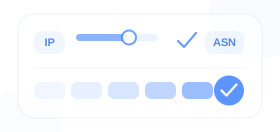
Compare risk score ranges, cleanliness tiers, and ASN details for each available location before payment.
GetIPProxy provides dedicated static residential proxies for online stores, social media, advertising, and AI applications. Choose by country or city, or compare Clean IPs pre-screened using Ping0 or IPQS data.
Compare risk score ranges, cleanliness tiers, and ASN details for each available location before payment.
Choose the country, city, and Native or Broadcast Residential option your account needs.
Unlimited traffic, unlimited concurrent sessions, stable bandwidth, and reliable connections.
Dedicated IPs are billed by quantity and term. Renew before expiration to keep the same IP when eligible.
Clean IPs add risk score, cleanliness tier, and ASN details before payment. Standard offers more location and IP-type choices.
For accounts or stores where you want to review IP cleanliness and risk score before going live.
Best for
For day-to-day operations that primarily need a stable location, a dedicated IP, and a consistent long-term network environment.
Best for
Each IP is dedicated to you and includes unlimited traffic during the purchase term. Renew before expiration to keep the same IP when it remains eligible, then compare Clean IPs details or Standard pricing for the locations you need.
Starting prices per IP for 30 days

Risk score 1
ASN NTT America, Inc.
Risk score 1
ASN NTT America, Inc.
Risk score 1
ASN NTT America, Inc.
Risk score 1
ASN NTT America, Inc.
Risk score 1
ASN NTT America, Inc.
Risk score 1
ASN NTT America, Inc.
Starting prices per IP for 30 days
Native residential / Broadcast residential

Native residential / Broadcast residential

Native residential / Broadcast residential

Native residential / Broadcast residential

Native residential / Broadcast residential

Native residential / Broadcast residential
Assign one dedicated residential IP to each account, store, or browser profile. Keep a consistent network exit over time and choose a country or city that matches the workflow.
The IP is dedicated to you during the purchased term, making it easier to keep accounts, stores, or clients on separate network exits.
Daily operations and long-running tasks can keep the same exit over time, with renewal available when the order and resource remain eligible.
Choose by country or city. Use Native Residential when the IP's registered location and detected geolocation need to match.
Different workflows prioritize different details. Choose Standard for broader location, IP-type, availability, and pricing options, or Clean IPs when risk score, cleanliness tier, and ASN details matter before setup.
Keep store and browser environments separate while matching the target market.
Resource guidance
Use Clean IPs when risk score, cleanliness tier, or ASN details matter before initial setup; otherwise use Standard for routine operations.
Keep each account aligned with its target market and avoid switching or reusing IPs across accounts.
Resource guidance
Use Clean IPs only when risk score, cleanliness tier, or ASN details matter before setup.
Keep each livestream account on a dedicated, region-matched network exit with long-term renewal support.
Resource guidance
Use Clean IPs when you have specific risk score, cleanliness tier, or ASN requirements.
Keep important accounts, subscriptions, and long-running tasks on the same network exit.
Resource guidance
Standard is the usual starting point for long-term use.
Use a different IP for each ad account to avoid mixing IPs during day-to-day agency work.
Resource guidance
Standard is the usual starting point.
Choose a location and IP type. After payment, view the proxy address, port, and authentication details, then add them to a tool that supports HTTP(S) or SOCKS5.
Select a country or city, Native or Broadcast Residential option, purchase term, and IP quantity. Standard assigns the actual IP after payment; Clean IPs let you compare risk score ranges, cleanliness tiers, and ASN details first.
After payment, view the proxy address, port, username, and password needed to configure the connection. Supports HTTP(S) and SOCKS5.
Add the proxy details to a browser, anti-detect browser, cloud phone, or any other tool that supports HTTP(S) or SOCKS5.
Get clear answers about resource types, billing, delivery, renewal, and acceptable use.
Choose Standard for more country, city, and IP-type options; the exact IP is assigned after payment. Choose Clean IPs when risk score ranges, cleanliness tiers, and ASN details matter before payment.
They help compare observed historical IP risk signals and cleanliness tiers. ASN and Native Residential status describe different properties. These fields support purchase decisions but do not guarantee that an account will avoid platform review or restrictions.
Choose Native Residential when the IP's registered location and detected geolocation need to match. Choose Broadcast Residential when available locations and cost matter more and a native registration signal is not required.
Yes. Each IP is dedicated to you and does not rotate between requests or sessions. To keep the same IP, renewal must be completed before the order expires and while the resource remains renewable.
Pricing is based on IP quantity and purchase term, with the final price shown before payment. Traffic is unlimited during the term, with no per-GB billing.
After payment, you receive the proxy address, port, and authentication details needed for HTTP(S) or SOCKS5. You can then verify the exit IP, region, and ASN before use.
Yes. You must complete renewal before the current order expires to keep using the same IP. Once the order expires, the original IP is no longer retained, and a later purchase may receive a new IP.
When permitted by applicable law and the target platform’s rules, the service can be used for e-commerce store management, authorized social account operations, ad verification, AI application access, and similar workflows. It must not be used for credential theft, malware, unauthorized access, or other abuse. See the Acceptable Use Policy for the complete rules.
Email [email protected] with your account, order, region, proxy protocol, client software, error details, and the time of your test. Support can help investigate delivery, authentication, line, and configuration issues.